The checkout
A buyer taps your product on your page and then the buy button on the product page. The checkout shows your seller details and your refund terms, then asks for:
- Your name
- Email, where we send your purchase
- Phone (optional)
- The name on the paying account, if they pay from someone else UPI, such as a parent
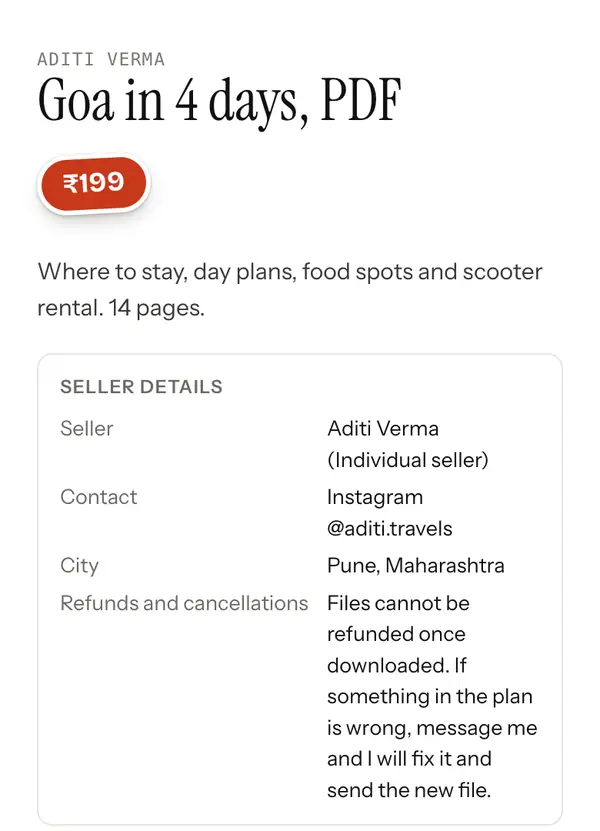
They tick the age box and choose Place order for ₹199 (the button shows the price).
Paying you by UPI
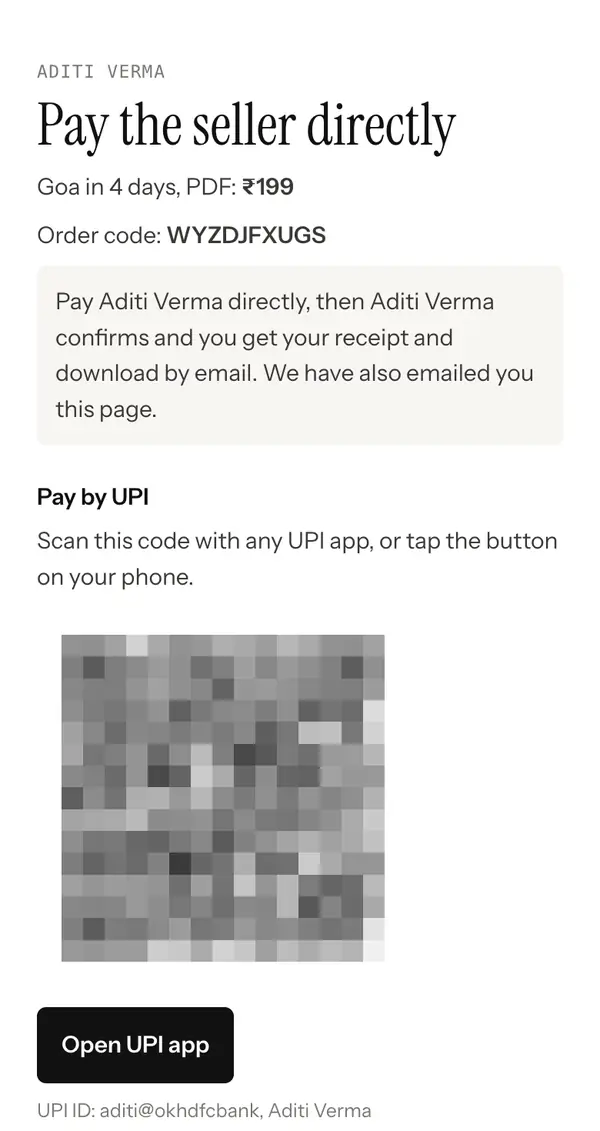
Next the buyer sees Pay the seller directly, with the amount and the order code. We also email them this page, so they can come back to it.
- On a phone, Open UPI app opens GPay, PhonePe, Paytm or their bank app with your UPI ID, the amount and the order code filled in.
- On a computer, they scan the QR code with their phone.
- If you added your own payment link in Getting paid, they can use Open payment link instead, and put the order code in the note.
Telling you they paid
After paying, the buyer enters the 12 digit UTR from their UPI app and chooses I have paid. They can add a screenshot if they want. They can change these details until you confirm.
You check the payment and choose Mark as paid. Mark a payment as paid shows how. If you do not confirm within 7 days, the order is cancelled.
Getting what they bought
Once you confirm, the buyer gets an email with their receipt and a link to their order page. Files download from there. Links to a course or a folder open from there too.
- Each download link lasts 24 hours. Opening the order page again gives a fresh one.
- Each file can be downloaded 5 times on Free and 10 times on Pro.
- Buyers can see everything they bought at staging.tapyoka.com/me, and get all their links emailed again at staging.tapyoka.com/resend.
If something goes wrong
Every pay page and receipt has Report a problem. A buyer can report that they paid and you have not confirmed, that a link does not work, or that they did not get what they paid for. You get an email and the report shows in Orders. See Refunds for how to answer it.
Buyers also see that they pay you directly and that Tapyoka does not receive the money. Questions about a payment go to you first.